Meizin Voice — AI Voice Typing Tool

Meizin Voice is a Windows voice typing tool with recording feedback beside your cursor.
The default Whisper engine converts speech to text on your PC. Version 1.7 also offers optional Soniox cloud recognition using your own API key.
Perfect for chatting with AI, writing prompts, composing blog posts, Kindle books, emails, Word documents, and more.
The Meizin Voice license is a one-time purchase. Local Whisper recognition has no monthly service fee. Optional Soniox use requires internet access and separate Soniox API charges.
The v1.7 update has been submitted for Microsoft Store certification. Availability will follow certification and publication. The current public Store version is 1.1.1. See release notes for availability.
Demo Video
Watch the video below to see Meizin Voice in action.
Features
Version 1.7 adds hold-to-talk: choose it in General settings, hold the hotkey to record, and release it to finish. The existing press-twice mode remains available. Recognition history shows the actual engine and model; older entries without recorded model information are labeled accordingly.
- Choose Your Engine — Whisper processes audio locally. Version 1.7 adds optional Soniox cloud recognition, which sends audio to Soniox and has separate API charges.
- GPU Acceleration — Speed up Whisper with a supported Vulkan GPU, or use your CPU. Performance depends on your hardware, model, and recording length.
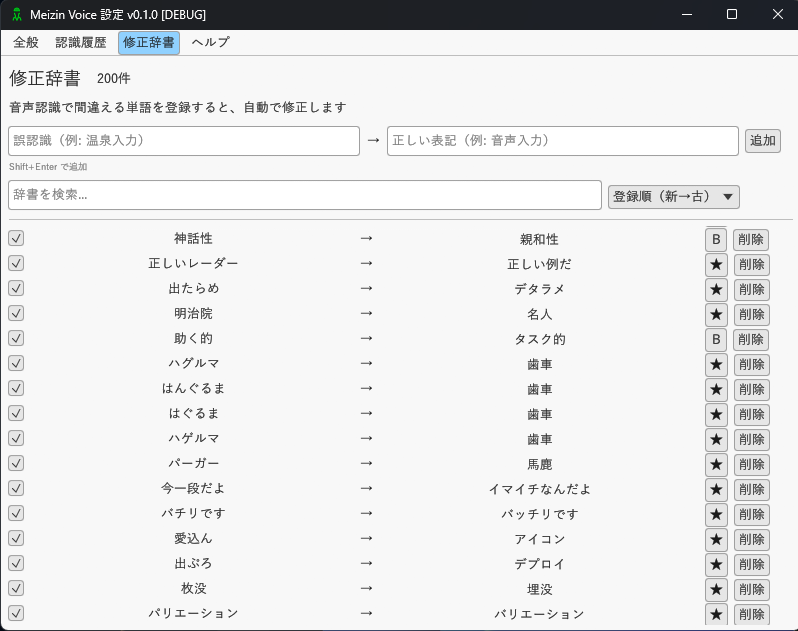
- Custom Dictionary — Register frequently misrecognized words for automatic correction. Gets smarter as you use it.
- Built-in Dictionary — Many built-in correction patterns for common recognition errors. High accuracy from day one.
- Audio Source Switching — Version 1.7 lets you switch between microphone input and transcription of audio playing on your PC.
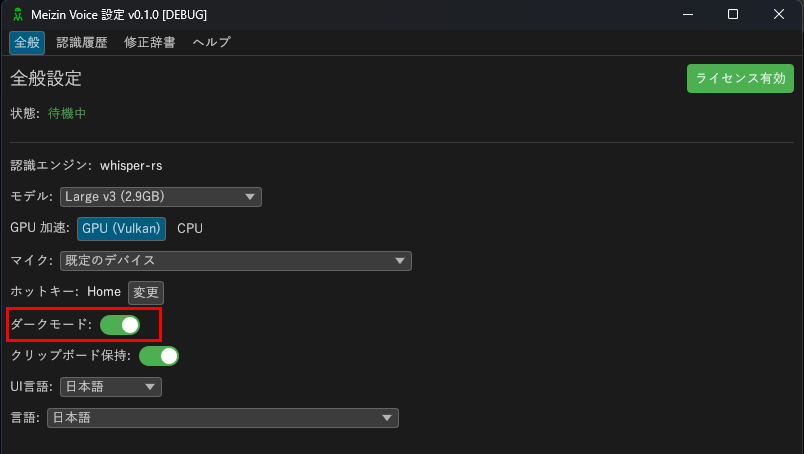
- Dark Mode — Easy on the eyes with full dark mode support.
- One-Key Activation — Press F9 (customizable) and speak. Text appears at your cursor position in supported text fields.
- One-Time Purchase — No monthly service fee for local Whisper recognition. Optional Soniox API usage is billed separately.
How to Use
Step 1: Install
Install from Microsoft Store on Windows 11. The standard Small model is included so you can start without downloading an additional model. Large V3 Turbo is an optional download.
Step 2: Press the Hotkey and Speak

Place your cursor where you want to type, press F9 (hotkey), and speak into your microphone. Press the hotkey again when finished — your text appears instantly.
This recognition button is called the "hotkey." You can customize it freely. Set it to any key that works best for you on your keyboard.
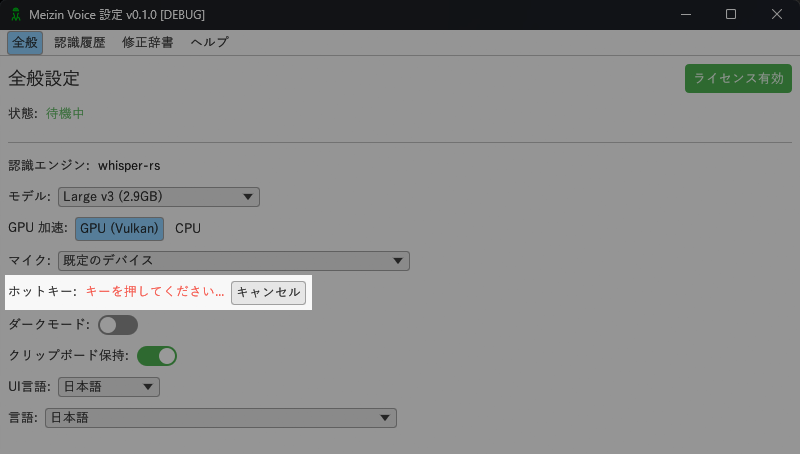
You can even assign the hotkey to a mouse button for one-handed voice typing.
Works great with email, Word, Google Docs, browsers, chat apps, Notepad, ChatGPT, Claude Code, Codex, and more.
Step 3: Improve Accuracy with the Dictionary
If certain words are frequently misrecognized, simply add them to your custom dictionary. They will be auto-corrected from then on. With Many built-in patterns, recognition accuracy is high right out of the box.
Step 4: Dark Mode
Enjoy a comfortable dark mode interface.
Step 5: Choose Your AI Model
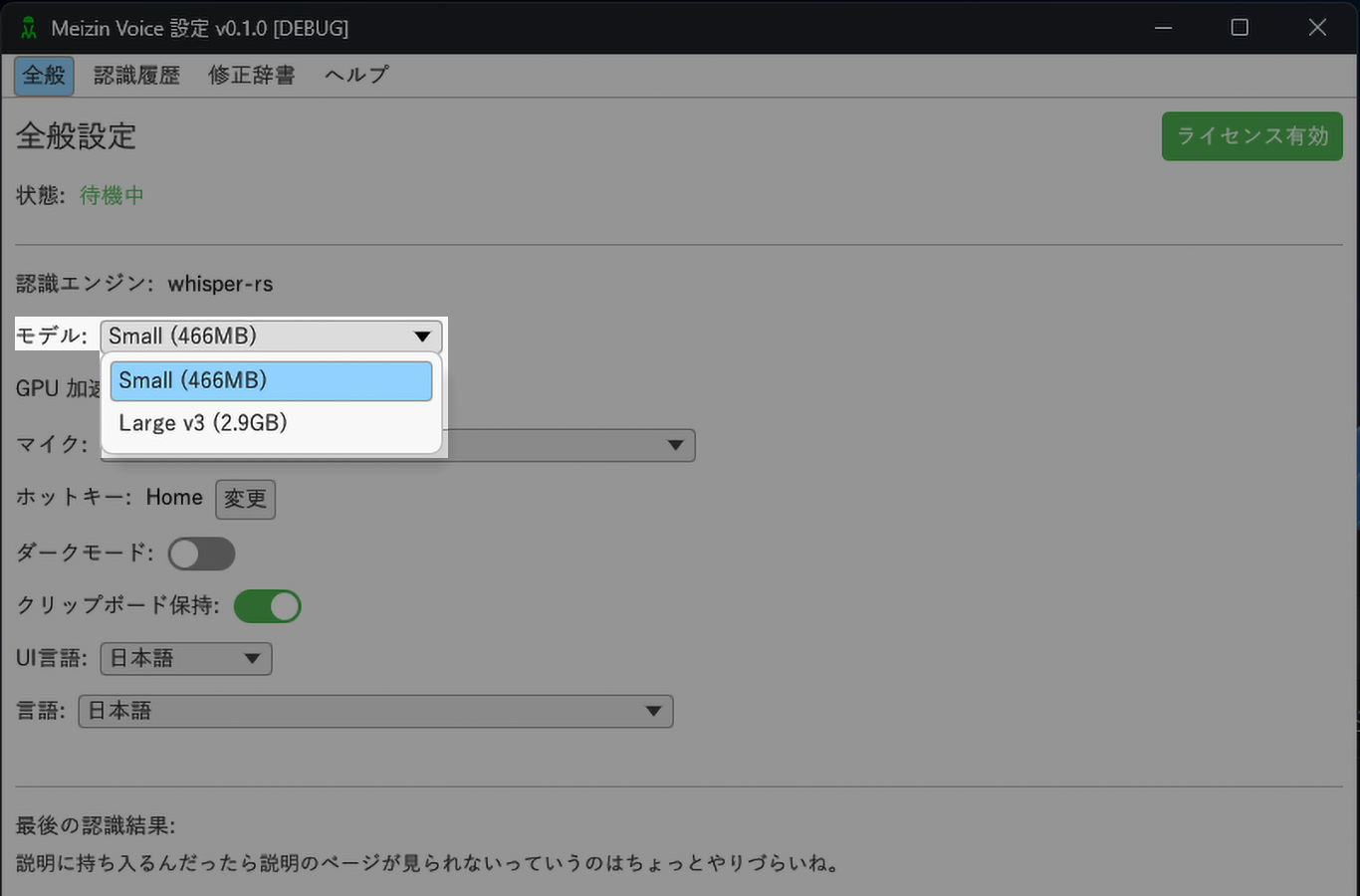
Select from two AI model tiers:
- Small: Ultra-lightweight and fast. Perfect for everyday use.
- Large V3 Turbo: Optional high-accuracy model (about 1.5 GB). Translation is not supported.
Step 6: Use Soniox (optional, v1.7)
Enable Soniox recognition in settings and save your own Soniox API key. Use the same hotkey and cursor feedback. Turn Soniox off to return to Whisper.
Provide frequently used terms and background context as recognition hints. These do not guarantee exact spelling; use the correction dictionary for text replacement. The Usage tab shows input audio duration separately for Whisper and Soniox.
Soniox receives audio and the recognition hints you configure. Its API charges are separate from the Meizin Voice license and free trial.
How is Meizin Voice Different?
Cloud-based (Google Voice Typing, Windows Speech Recognition, etc.)
→ Sends voice data to servers. Requires internet. Privacy concerns.
Meizin Voice
→ Whisper processes your audio on your PC. Version 1.7 also lets you choose Soniox cloud recognition. Recording feedback appears beside the cursor so you can keep your attention on the input destination.
Who is it For?
- Anyone who wants fast, accurate voice typing
- AI chat users (ChatGPT, Claude, etc.) who want to input prompts by voice
- Vibe coders who want to voice-type their prompts
- Writers who want to dictate long-form content for blogs or Kindle books
- People who want to choose between local and cloud recognition
- Dark mode enthusiasts
- Privacy-conscious users who don't want voice data sent to external servers
- Users who prefer a one-time purchase over monthly subscriptions
System Requirements
- Windows 11 (64-bit)
- GPU recommended (Vulkan-compatible). CPU-only mode also available.
- Microphone required
FAQ
Do I need an internet connection?
Whisper recognition runs locally. Additional model downloads, trial registration, license activation, updates, and website features require internet access. Soniox recognition also requires an internet connection.
Which apps does it work with?
Many text-input applications are supported, including Word, Excel, Notepad, browsers, ChatGPT, Codex, Claude, Claude Code, IDEs, and more. Text is inserted at the cursor in supported fields. Some applications or privilege differences can prevent direct insertion.
Does it require a GPU?
Whisper also works on CPU. A supported GPU can speed it up; performance varies with hardware, model, and recording length.
Is English translation available?
The currently supplied Small and Large V3 Turbo models do not support Translation Mode in Meizin Voice. Use them for speech transcription.
Can I get a refund?
We do not offer refunds after purchase.
You can try Meizin Voice for 7 days. Optional Soniox API charges are separate. Please only purchase if you are satisfied with the trial.
Can I use it on multiple PCs?
1 license = 1 device. If you want to use Meizin Voice on multiple devices at the same time, such as both Windows and Mac, each device needs its own license. When you get a new PC, you can transfer your license by entering the license key on the new device and confirming the transfer by email.
What should I do if Meizin Voice does not start?
For the Microsoft Store version, the required runtime components are normally handled automatically by Microsoft Store.
If Meizin Voice does not start, run Windows Update first, then reinstall Meizin Voice from Microsoft Store.
If the issue remains, install the Visual C++ Redistributable x64 from Microsoft's official page.
Microsoft official Visual C++ Redistributable download page
Special Offer
Try Meizin Voice free for 7 days — no credit card required.
Optional Soniox API usage is billed separately by Soniox.
$29.99 (one-time purchase)